How It Works
From install to first review
in under 10 minutes.
No code. No complex configuration. Five straightforward steps and you're collecting smarter reviews than every other app lets you.
< 10 min
Average setup time
1 click
Widget installation
5 steps
From install to live
Install Revova from the Shopify App Store
One click from the Shopify App Store and Revova connects to your store automatically. No manual API keys, no theme edits yet — just install and you're in the dashboard.
- ✓Free plan available, no credit card needed
- ✓Connects to your Shopify store in seconds
- ✓Dashboard ready to use immediately
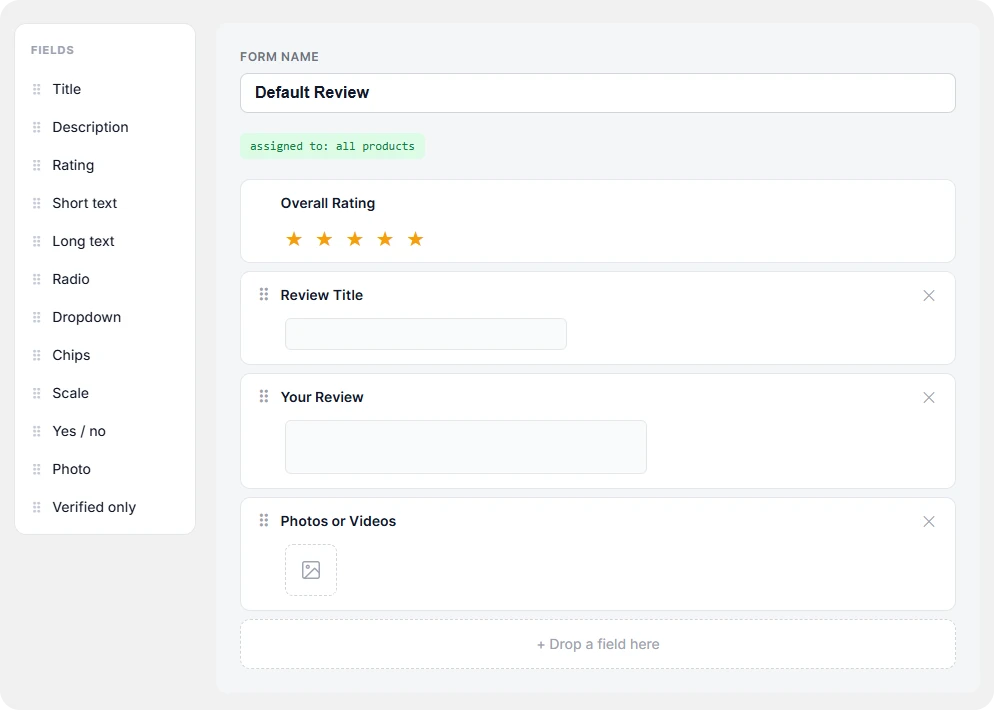
Create your first review form
Use the drag-and-drop form builder to add the fields that make sense for your products. Star ratings, attribute scales, dropdowns, checkboxes, photo upload — mix and match.
- ✓6 field types to choose from
- ✓Live preview as you build
- ✓Start from a template or blank
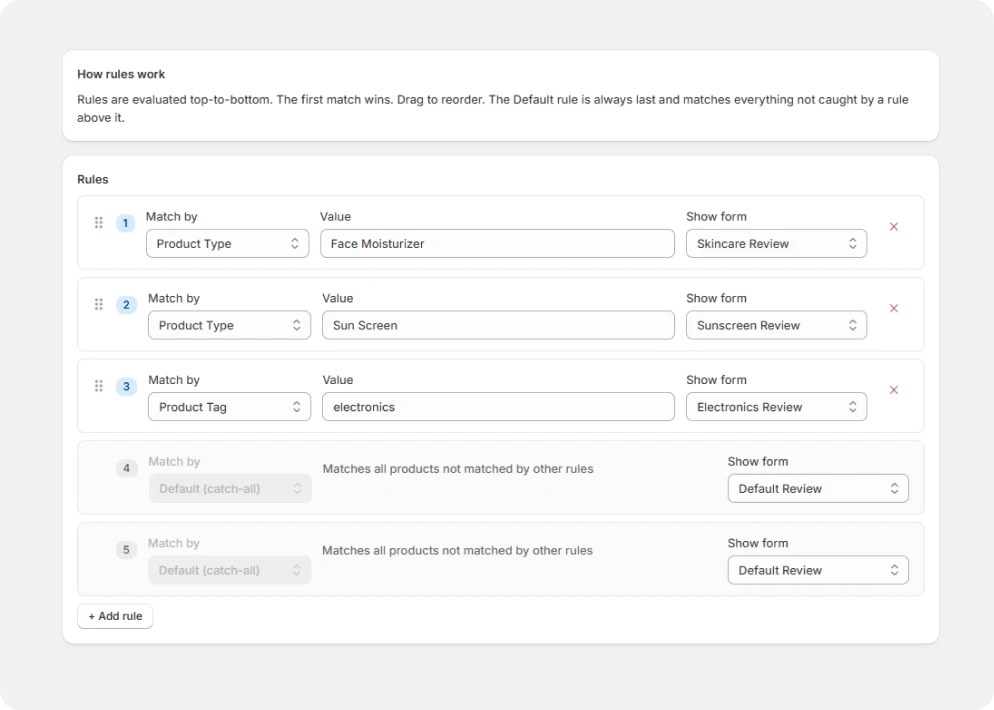
Set assignment rules — which form for which products
Tell Revova which forms apply to which products. Assign by tag, product type, collection, or set a manual override for specific items. Rules are evaluated in priority order, automatically.
- ✓Manual, tag, type, collection, or default
- ✓Rules apply immediately when saved
- ✓One product can only match one form at a time

Add the Revova widget to your theme
Open your Shopify theme editor and drop in the Revova block. One click. The widget respects your theme's fonts and spacing — it looks native from day one.
- ✓Works with any Shopify 2.0 theme
- ✓Carousel, list, or grid layout
- ✓Google Rich Snippets (JSON-LD) — automatic
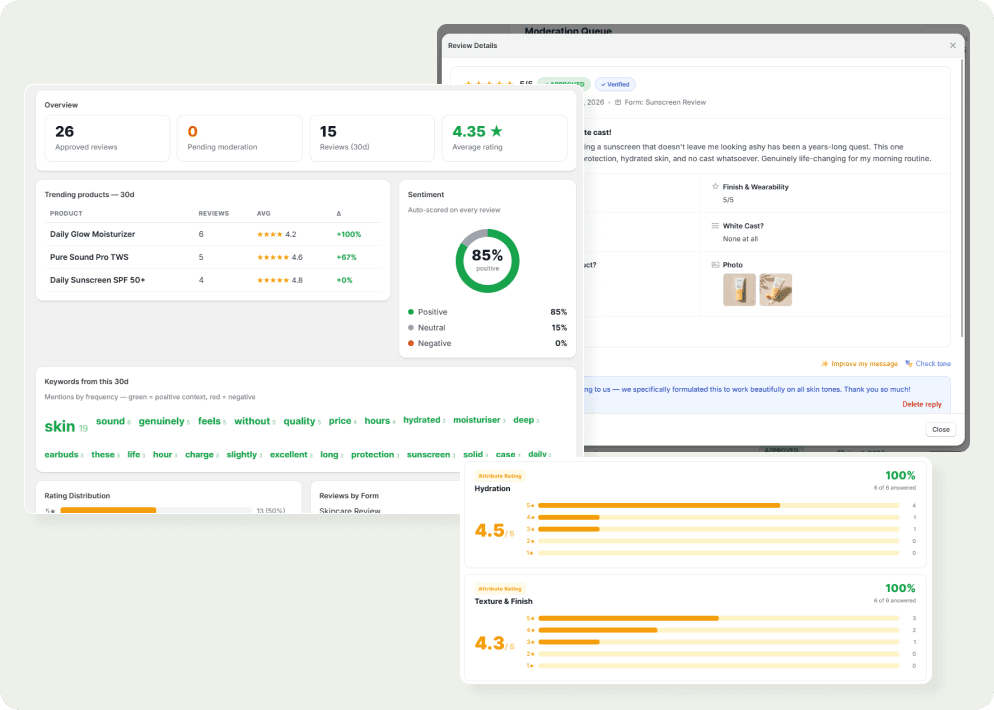
Reviews come in — moderate, reply, and analyze
Fulfilled orders trigger review request emails automatically. Reviews land in your moderation queue. Approve, reply with AI suggestions, pin the best ones, and watch your analytics build in real time.
- ✓Automated post-purchase email flow
- ✓Moderation queue with bulk actions
- ✓AI-assisted replies and full analytics
Start collecting smarter reviews today
Stop settling for one generic review form for every product. Install free, no credit card required.
Free plan available · No credit card required · Cancel anytime